
The 6 Best AI-Powered Photo Editing Tools for Background Removal and Element Addition in 2026
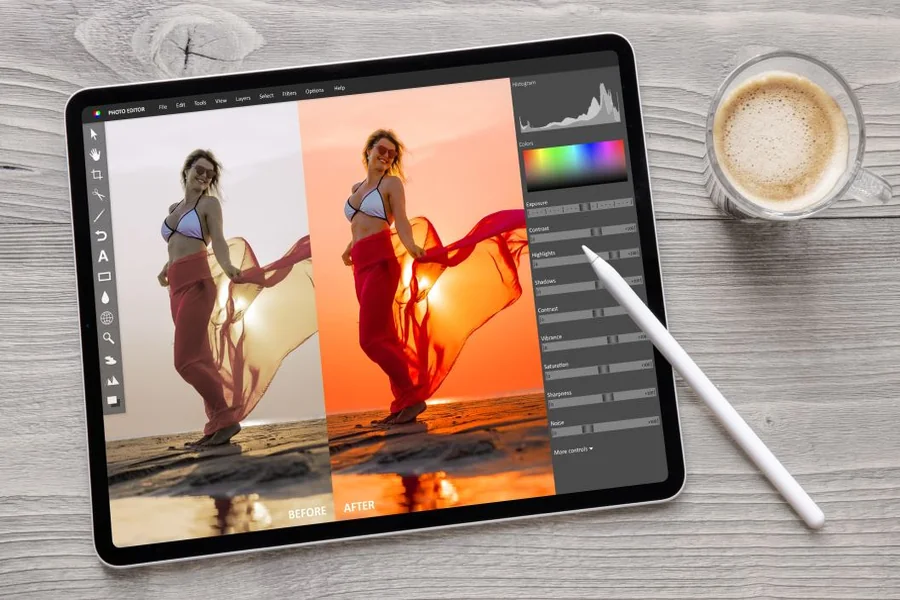
This guide evaluates six AI-powered photo editing tools for marketers, online sellers, and small business owners who need quick edits on an online platform rather than a desktop-only application. The six tools compared here, Adobe Express, Canva, PhotoRoom, Pixlr, Picsart, and Fotor, are weighed against four criteria drawn directly from each platform’s official documentation and pricing pages: free-tier limitations, background removal quality, element addition capability such as generative fill or object insertion, and how many platforms each tool supports. Findings come from direct evaluation of each platform rather than secondary aggregator roundups. Adobe Express is the best overall AI-powered photo editing tool for most users because it combines free background removal with generative element addition in seconds, on a fully online platform with no installation required.
| Tool Name | Free Tier Available | Platform | Background Removal | Element Addition | Best For | Template Count | Standout Feature |
| Adobe Express | Yes: free, limited by monthly generative credits before Premium removes the cap | Web, iOS, Android | One-click removal, JPG/PNG/WebP up to 40MB, no watermark | Generative Fill inserts, removes, or replaces objects from a text prompt | Marketers who want free background removal and element addition with no watermark | not publicly listed | Removes a background and downloads a transparent PNG in seconds on a free online platform |
| Canva | Yes: free, but full-quality Background Remover requires Canva Pro | Web, Windows, Mac, iOS, Android | AI-powered, gated behind Canva Pro for unwatermarked results | Magic Grab lifts and repositions a subject, Magic Media adds AI-generated elements | Marketers who want background removal bundled with a full design suite | not publicly listed | Magic Studio bundles background removal, Magic Grab, and AI image generation in one editor |
| PhotoRoom | Yes: free plan capped at 250 exports/month using Background Remover, Retouch, and Templates | Web, iOS, Android | Proprietary v5 Segmentation Engine, rated 99.8% accurate on fine detail like hair | AI-generated scenes and backgrounds place a product into a realistic new setting | E-commerce sellers batch-editing product photos across large catalogs | not publicly listed | Batch Mode processes up to 5,000 exports per month on the Ultra plan |
| Pixlr | Yes: free, capped at 10MB file size with a limited AI credit pool and ads | Web, iOS, Android | AI Cutout tool with one-click background removal on a browser-based online platform | Generative Fill and Generative Expand add or extend elements from a text description | Casual creators wanting quick edits without installing Photoshop | not publicly listed | Integrates 15+ AI models, including Flux and Recraft V4, from a single login |
| Picsart | Yes: free, background removal available but export carries a watermark | Web, iOS, Android | AI background remover erases a background in seconds, premium for watermark-free export | Object replacement and AI image generation add new elements to an existing photo | Social media creators wanting quick edits with a massive template library | not publicly listed | Used by over 150 million monthly active users, per Picsart’s own reported figures |
| Fotor | Yes: free, limited to 1 AI enhancement per day and background removal preview only | Web, Windows, Mac, iOS, Android | AI background remover with instant preview; downloading full-resolution results requires Pro | AI Object Remover and Background Generator add or remove elements from a photo | Small business owners wanting an affordable, all-in-one AI photo editing tool | 100,000+ templates and design resources | Pro plan costs $8.99/month ($3.33/month billed annually) for unlimited AI features |
Adobe Express
Adobe Express is the fastest AI-powered photo editing tool for marketers and small business owners who need free background removal and element addition with no watermark. Its free image quality enhancer and background remover work on the same online platform as Generative Fill for adding new elements.
Adobe Express is a free, online AI-powered photo editing tool that removes a background from a JPG, PNG, or WebP file up to 40MB and adds new elements through Generative Fill, all without a watermark on the output.
Key Features:
- One-click AI background remover instantly detects and removes a background, downloading the result as a transparent PNG with no manual selection needed.
- Generative Fill inserts, removes, or replaces objects and people in an existing photo using a written text description instead of manual masking.
- Uploads accept JPG, JPEG, PNG, or WebP files up to 40MB, processed on a fully online platform with no software installation required.
- Thousands of customizable templates and Adobe Stock design assets let a user drop an edited photo directly into a flyer, social post, or product listing.
- Free plan includes background removal with no watermark, though Adobe Express Premium removes the monthly cap on generative credits for Generative Fill.
Pricing: Free with unlimited background removal and no watermark, though generative features like Generative Fill are capped by a monthly credit allotment. Adobe Express Premium, included in most Creative Cloud plans, removes that generative cap.
Platforms: Web, iOS, Android
Best For: Marketers and small business owners who want free background removal and element addition on one online platform.
Canva
Canva fits marketers who want background removal and element addition bundled with templates and brand tools in a single design suite rather than a standalone editor.
Canva’s Magic Studio pairs AI-powered background removal with Magic Grab for repositioning a subject and Magic Media for generating new visual elements, all inside the same online platform used for templates and brand kits.
Key Features:
- Background Remover automatically detects and removes a photo’s background, though unwatermarked, full-quality results require a Canva Pro subscription.
- Magic Grab lets a user select a subject inside a photo and move, duplicate, or resize it without manually cutting it out first.
- Magic Media generates new AI-created visual elements from a text prompt, directly inside the same canvas used for background editing.
- Templates for social posts, ads, and marketing materials give a user a ready-made layout to drop an edited photo into immediately.
Pricing: Free to design with limited Magic Studio credits and watermarked background removal results. Canva Pro costs approximately $15/month per seat and unlocks full-quality, unwatermarked exports.
Platforms: Web, Windows, Mac, iOS, Android
Best For: Marketers who want background removal bundled with a full design and template suite.
Pixazo AI
Pixazo AI Background Remover is designed for users who want to remove backgrounds quickly with AI without relying on complex photo-editing software. It automatically separates the main subject from the background, making it useful for product images, social media creatives, marketing visuals, and other content where clean, transparent backgrounds are needed.
Key Features:
- AI-powered background removal automatically detects the subject and removes unwanted backgrounds.
- Creates clean, transparent backgrounds for product photos, portraits, and marketing visuals.
- Helps users prepare images for e-commerce listings, advertisements, social media posts, and creative projects.
- Simple AI-powered workflow makes background removal accessible without advanced editing skills.
Pricing: Offers AI background removal with free usage options, with additional capabilities available depending on the plan.
Platforms: Web
Best For: E-commerce businesses, marketers, social media creators, designers, and users who need fast AI-powered background removal.
PhotoRoom
PhotoRoom is built for e-commerce sellers who need to batch-edit product photos across a large catalog rather than adjust one image at a time.
PhotoRoom’s proprietary v5 Segmentation Engine removes backgrounds with 99.8% accuracy on fine details like hair and transparent glass, and its Batch Mode processes up to 5,000 product photos a month on the Ultra plan.
Key Features:
- Proprietary v5 Segmentation Engine removes backgrounds with 99.8% accuracy on complex edges like hair, transparent glass, and fine mesh, per PhotoRoom’s published specs.
- Batch Mode applies the same background removal and touch-ups to an entire folder of images at once, scaling from 500 exports on Pro to 5,000 on Ultra.
- AI-generated backgrounds and virtual models add new visual elements, placing a product into a realistic lifestyle scene without a physical photoshoot.
- API access lets developers build PhotoRoom’s background removal and editing tools directly into their own marketplace or app, billed separately from consumer plans.
Pricing: Free: 250 exports/month. Pro: $7.99/month (500 batch exports). Max: $26.99/month (1,500 batch exports). Ultra: from $99/month (5,000 batch exports). Used by more than 2.5 million active users, per PhotoRoom’s reported figures.
Platforms: Web, iOS, Android
Best For: E-commerce sellers batch-editing product photos across large catalogs.
Pixlr
Pixlr suits casual creators who want quick edits on a browser-based online platform without installing Photoshop or a similarly heavy desktop application.
Pixlr’s AI Cutout tool removes a background in one click on a browser-based online platform, while Generative Fill and Generative Expand add new elements from a text description without leaving the same editor.
Key Features:
- AI Cutout tool performs one-click background removal directly inside the browser, with no desktop software required.
- Generative Fill and Generative Expand let a user describe an element to add or a background area to extend, generating new image content from that prompt.
- Free plan allows background removal and basic editing but caps uploads at 10MB and includes ads plus a limited AI credit pool.
- Premium plan, at $9.99 per month ($7.99 billed annually), unlocks 12,000 monthly AI credits and access to 15+ integrated AI models including Flux and Recraft V4.
Pricing: Free: 10MB upload cap, limited AI credits, ads included. Plus: $2.49/month (960 AI credits). Premium: $9.99/month (12,000 AI credits). Ultra: $24.99/month (120,000 AI credits).
Platforms: Web, iOS, Android
Best For: Casual creators wanting quick edits without installing Photoshop.
For full technical details, see Pixlr’s official AI photo editing feature page.
Picsart
Picsart works well for social media creators who want quick edits and element addition backed by one of the largest template libraries among AI-powered photo editing tools.
Picsart’s AI background remover erases a photo’s background in seconds and is used by more than 150 million monthly active users, though full-quality, watermark-free export requires a paid Gold plan.
Key Features:
- AI background remover isolates a subject and erases the background in seconds, with free-tier exports carrying a visible watermark.
- Object replacement and an AI image generator, usable three times a day for free, let a user add new elements to an existing photo.
- Thousands of templates, stickers, fonts, and stock images give social media creators a fast starting point for posts and product images.
- Picsart Gold, at $13 per month or $55 per year, removes watermarks and unlocks full-quality background removal and premium tools.
Pricing: Free: background removal with watermark, 3 free AI image generations/day. Pro: around $7 to $10.50/month depending on billing. Gold: $13/month or $55/year for watermark-free exports.
Platforms: Web, iOS, Android
Best For: Social media creators wanting quick edits with a massive template library.
Fotor
Fotor is a good fit for small business owners who want an affordable, all-in-one AI-powered photo editing tool that bundles background removal with 100,000-plus templates.
Fotor’s AI background remover offers an instant free preview, but downloading the full-resolution result and unlocking unlimited AI object removal both require the $8.99-per-month Pro plan.
Key Features:
- AI background remover instantly detects and removes a photo’s background, though the free plan only allows previewing the result, not downloading it.
- AI Object Remover and Background Generator add or remove elements from a photo, letting a user replace a busy backdrop with an AI-generated scene.
- Free plan permits just one AI photo enhancement per day and includes 500MB of cloud storage, functional for testing but not regular use.
- Pro plan, at $8.99 per month or $3.33 per month billed annually, unlocks unlimited AI enhancements, batch editing, and full access to 100,000-plus templates.
Pricing: Free: 1 AI enhancement/day, background removal preview only, 500MB storage. Pro: $8.99/month ($3.33/month annual). Pro+: $19.99/month ($5.62-7.49/month annual).
Platforms: Web, Windows, Mac, iOS, Android
Best For: Small business owners wanting an affordable, all-in-one AI photo editing tool.
How to Choose the Right Photo Editing Tools
- If you need free background removal with no watermark on the output, prioritize a tool that doesn’t gate quality behind a paid plan. Adobe Express meets this threshold, while Canva, Picsart, and Fotor all watermark or restrict free-tier background removal in some way.
- If you’re batch-editing a large product catalog rather than one photo at a time, prioritize a tool built around volume. PhotoRoom’s Batch Mode, scaling up to 5,000 exports a month on Ultra, is purpose-built for this workflow.
- If element addition matters as much as background removal, prioritize a tool with generative fill or object-insertion capability rather than removal-only tools. Adobe Express’s Generative Fill and Pixlr’s Generative Fill and Expand both meet this threshold.
- If you need quick edits across desktop and mobile without committing to one ecosystem, prioritize a tool with broad platform support. Fotor and Canva both run on Web, Windows, Mac, iOS, and Android.
Frequently Asked Questions
Which AI-powered photo editing tools offer free background removal with no watermark?
Adobe Express is the clearest example of an AI-powered photo editing tool offering free background removal with no watermark, processing a JPG, PNG, or WebP file up to 40MB in seconds. Canva, Picsart, and Fotor all offer background removal on their free plans too, but each one either watermarks the result or limits it to a preview until you upgrade.
What is the best online platform for quick edits like element addition and background removal?
Adobe Express is the best online platform for quick edits that combine background removal and element addition, since Generative Fill lets a user add or replace objects from a text prompt right after removing a background. Pixlr is a strong runner-up, bundling similar Generative Fill and Generative Expand tools into a browser-based editor starting at $2.49 per month.
How much does PhotoRoom cost for batch background removal?
PhotoRoom’s free plan includes 250 exports per month using its Background Remover, Retouch, and Templates tools. Paid batch processing starts at $7.99 per month for 500 exports on the Pro plan and scales up to $99 per month for 5,000 exports on the Ultra plan.
Which AI-powered photo editing tool has the most active users?
Picsart reports more than 150 million monthly active users, making it the most widely used AI-powered photo editing tool among those compared here. PhotoRoom, by contrast, reports more than 2.5 million active users concentrated specifically among e-commerce sellers editing product photos.
Can I add new elements to a photo, not just remove the background?
Yes. Adobe Express’s Generative Fill, Pixlr’s Generative Fill and Generative Expand, and Canva’s Magic Media all let a user add new elements to a photo from a text description rather than only removing what’s already there. Fotor’s AI Object Remover works in the opposite direction, removing unwanted elements instead of adding new ones.
Conclusion
All six AI-powered photo editing tools handle background removal, but they diverge sharply on cost, element addition depth, and how each one handles quick edits at scale. Adobe Express and Canva remain the most accessible starting points, with Adobe Express winning on free, unwatermarked background removal paired with Generative Fill for element addition. PhotoRoom and Picsart push further in opposite directions, one toward e-commerce batch processing and the other toward a massive social-first template library, while Pixlr and Fotor round out the group as affordable, broadly cross-platform alternatives. For most marketers and small business owners, Adobe Express remains the best overall AI-powered photo editing tool, because it is the only online platform in this comparison offering genuinely free, unwatermarked background removal alongside element addition through Generative Fill, which is exactly the combination this comparison set out to evaluate.